



Hurry! Cyber Week is almost gone


Hurry! Cyber Week is almost gone
Universal docks help maximize your video capacity while simultaneously minimizing clutter on your desk space. Since a single connection links all your peripherals to your laptop, your workspace stays neat and organized to keep you productive. With VGA and DVI to HDMI and DisplayPort®, Targus docks support various connections.
You'll also get the most out of your workstation by plugging in your USB-C (aka USB Type-C) peripherals. The right docking station for PC and Mac could also power Thunderbolt™ devices, too. Plus, shop with confidence knowing your purchase is backed by our three-year limited warranty. Count on Targus docks to provide a reliable connection and stand up to daily use during even the most demanding workdays.
Turn your laptop into a workstation with a Targus computer docking station.
They are capable of seamlessly connecting your host device to monitors, computer peripherals, and other PC accessories. Targus laptop docking stations are ideal for creative, business and enterprise environments alike. They streamline workspaces and maximize productivity as a dock station for computer setups of all kinds. They are also an ideal tech solution for work from home setups, flex workers, and more.
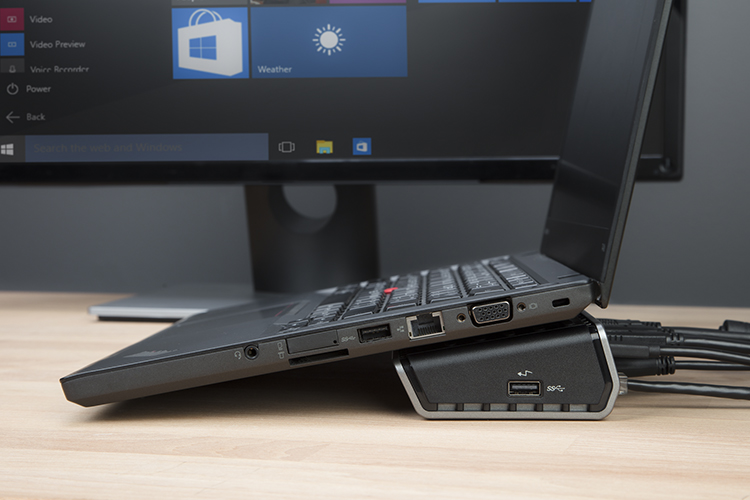
Not all docking stations are the same. When choosing the best dock, consider how, where, and what you need to connect.
Do you need a compact travel dock for on-the-go work? Or a stationary dock that stays ready at your desk?
Mobile docks, while inherently smaller and lighter, tend to offer fewer ports and typically do not include a power adapter. Small, yet mighty, they still extend your workspace almost anywhere and may include power pass through, so you can charge your laptop while keeping your USB‑C port free.
Stationary docks are ideal for fixed workspaces and offer more power – ranging from 65W Power Delivery up to 140W EPR. This allows you to leave your laptop charger in your travel bag and rely on the dock for everyday charging.
Think about how many monitors you want to connect to. Targus offers docking stations that support single, dual, triple, and quad monitor configurations.
Be sure to check whether you need HDMI, DisplayPort, or a mix of each, as each dock supports different video combinations to match your monitors and workflow.
When you’re choosing a dock, consider how your laptop connects: USB‑C, USB‑A, USB4, or Thunderbolt. You’ll also need to consider operating system compatibility – Windows®, macOS®, Android®, Chrome OS®, Linux/Ubuntu™.
Not all operating systems behave the same when it comes to extending your screen to multiple monitors.
One of the big benefits of a dock is more ports! As you consider a dock, think about the variety of connectivity ports you need – USB‑A and USB‑C ports for mice, keyboards, and webcams; SD and microSD card slots for removable media; audio in/out ports for headsets or speakers; and an Ethernet port for secure, stable wired internet.